
TL;DR: How to Improve Google Rankings in 6 Months
Don't have time to read the whole post? Here's what you need to know:
✅ Month 1-2: Set up Google Search Console, do keyword research, publish 5-8 blog posts
✅ Month 3: First impressions in search (50-500). Start guest posting for backlinks
✅ Month 4: Some pages ranking on page 2-3. Build 2-3 quality backlinks
✅ Month 5: First page 1 rankings appearing. Update old posts with fresh data
✅ Month 6: Real organic traffic (50-200+ visits/month). Track results and scale
The 3 biggest factors: Quality content + Backlinks + Page speed
Free tools you need: Google Search Console, Google Analytics, PageSpeed Insights
Expected result: 3-6 months to first rankings. 6-12 months to meaningful traffic.
Want the detailed breakdown? Read the full guide below.
Here's a quick 5-minute video showing how to improve your Google rankings step-by-step:
Introduction
You started a blog or website in 2025. It's 2026 now. You're asking yourself: "Why isn't anyone finding my content on Google?"
You're not alone. Most new websites don't rank for anything in their first 6 months. Google doesn't trust brand new sites yet. You have no backlinks. Your domain authority is zero.
But here's the good news: it's absolutely possible to improve your Google rankings in the first 6 months if you know what to do.
This guide is built for beginners who have 0-3 months of SEO experience. We'll cover the exact steps that take new websites from invisible to showing up on page 2, page 1, and eventually ranking for real keywords.
It takes time. Usually 3-6 months to see meaningful results. But if you start now and stay consistent, you'll have your first real rankings by month 6-8.
Let's get started.
1. Audit Your Current State (Week 1)
Before you improve anything, you need to know where you stand right now.
Set Up Google Search Console (Free)
If you haven't already, set up Google Search Console today. It takes 5 minutes.
GSC shows you:
- What keywords people are (trying to) search for to find your site
- How many impressions you're getting (people seeing your site in search)
- Click-through rate (how many actually click)
- Your average ranking position
- Crawl errors that are preventing indexing
Set Up Google Analytics 4 (Free)
Google Analytics 4 shows how people behave on your site: where they come from, how long they stay, bounce rate, conversions.
Baseline Metrics
Take a screenshot of your current state:
- Impressions: _____
- Clicks: _____
- Average ranking position: _____
- Pages indexed: _____
- Mobile score (PageSpeed): _____
- Desktop score (PageSpeed): _____
You'll compare these 6 months from now to measure progress.
2. Do Keyword Research (Week 1-2)
You can't rank for keywords you don't target. Keyword research is step zero.
Finding Keywords You Can Actually Rank For
The mistake most beginners make: targeting keywords that are too competitive.
If you search "how to improve Google rankings" (43,000 monthly searches), you're competing against Ahrefs, HubSpot, Moz, Neil Patel—sites with millions of backlinks and years of authority.
You'll never rank for that keyword in month 1-6.
Instead, find keywords with:
- Search volume: 100-1,000 searches per month (achievable)
- Low competition: Fewer established sites ranking (possible to beat)
- Relevant to your niche: People searching are your actual audience
Free Tools to Use
Google Trends: Completely free. Shows search volume for keywords. Not perfect, but good for beginners.
Google Search Console: If you already have some traffic, it shows what searches are bringing people to you.
Ubersuggest Free: Limited but free. Shows keyword ideas and difficulty scores.
Ahrefs Free Tools: Free keyword explorer with limited uses per month. Shows keyword difficulty.
The Research Process
- Pick your main topic/niche
- Brainstorm 10-20 keyword ideas
- For each keyword, check:
- Search volume (does anyone search for it?)
- Keyword difficulty (can you rank for it as a new site?)
- Search intent (what do people actually want?)
- Target 50-100 long-tail keywords (3+ words)
Example: Instead of "SEO," target "how to improve SEO for new websites" or "SEO tips for bloggers 2026."
3. Create Your Content Plan (Week 2)
Before writing random blog posts, plan your content strategically.
The Pillar & Cluster Model
Create one main pillar page (2,000-3,000 words covering your topic completely). Then create 10-15 cluster pages (800-1,200 words each) answering specific questions related to that pillar.
Link them together.
Example:
- Pillar: "Complete SEO Guide for Beginners"
- Cluster: "How to Research Keywords"
- Cluster: "How to Write SEO-Friendly Blog Posts"
- Cluster: "How to Get Backlinks"
- Cluster: "How to Speed Up Your Website"
Google rewards this structure. It signals topical authority.
Your First 6 Months
Months 1-2: Create your pillar page + 3-4 cluster pages (basic foundation) Months 3-4: Create 4-5 more cluster pages (expand coverage) Months 5-6: Update existing content, create 2-3 new pieces
Total target: 1 pillar + 8-10 cluster pages = topical authority
4. Optimize Every Page (On-Page SEO)

4. Optimize Every Page (On-Page SEO)
Great content + terrible optimization = no rankings.
Title Tag Optimization
Your title tag is the clickable headline in Google search results.
Rules:
- 50-60 characters (longer gets cut off)
- Include your main keyword
- Make it click-worthy (people need to want to click it)
- Front-load the keyword (put it at the beginning if possible)
Bad: "Blog Post #47" Better: "How to Improve SEO: Complete Beginner's Guide 2026" (52 characters ✓ includes keyword ✓ specific year ✓)
Meta Description
155-160 characters. Doesn't affect ranking but affects click-through rate.
Example: "Learn 7 proven SEO strategies to improve your Google rankings in 6 months. Step-by-step guide for beginners starting from zero." (156 characters ✓)
Heading Structure (H1, H2, H3)
Use exactly ONE H1 per page (your main title). Use H2s for major sections. Use H3s for subsections.
✓ Correct:
- H1: How to Improve Google Rankings in First 6 Months
- H2: Audit Your Current State
- H3: Set Up Google Search Console
- H2: Do Keyword Research
- H2: Audit Your Current State
✗ Wrong:
- Multiple H1s on the same page
- Skipping from H1 directly to H3 (jump over H2)
- Using headings for styling instead of structure
URL Optimization
Keep URLs short, descriptive, keyword-rich.
Good: yoursite.com/how-to-improve-google-rankings Bad: yoursite.com/article.php?id=47293 Bad: yoursite.com/my-blog-posts/new/article1
Image Alt Text
Every image needs descriptive alt text.
Alt text: "Google Search Console performance report showing impressions, clicks, and ranking positions"
NOT: "image1.jpg" or "screenshot"
Alt text helps accessibility AND SEO.
Internal Linking
Link to your other pages naturally.
"Learn more about [keyword] by [reading our guide on X]"
Use descriptive anchor text, not "click here."
Keyword Placement
Your target keyword should appear in:
- Title tag (required)
- H1 heading (required)
- First 100 words of your post (recommended)
- At least one subheading (H2 or H3) (recommended)
- 2-4 times naturally throughout the post (avoid keyword stuffing)
5. Fix Page Speed (Technical SEO) - Critical
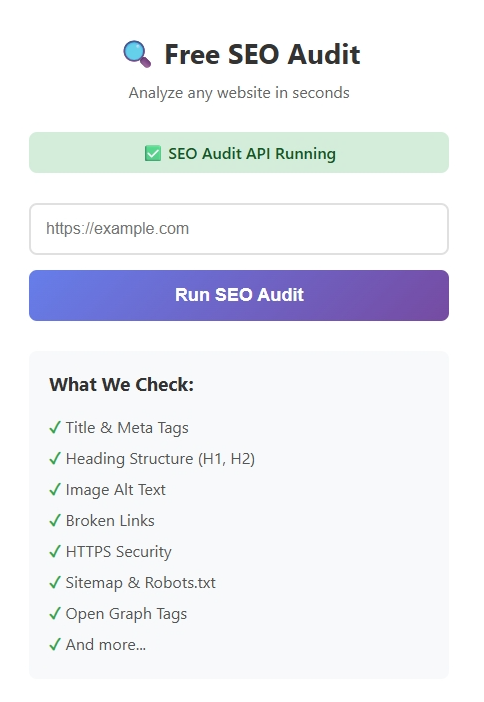
This is where most beginners lose rankings.
Google measures user experience with Core Web Vitals:
- LCP (Largest Contentful Paint): Main content loads in <2.5 seconds (target)
- INP (Interaction to Next Paint): Page responds to user click in <200ms
- CLS (Cumulative Layout Shift): Page doesn't jump around as it loads (<0.1 target)
If your site takes more than 3 seconds to load on mobile, Google pushes you down and visitors leave.
How to Fix Page Speed
Compress Images Use TinyPNG.com (free). One client had 8 MB images; after compression LCP dropped from 6 seconds to 1.9 seconds.
Enable Lazy Loading Images below the fold load only when users scroll to them. In WordPress, use Smush or Jetpack plugin.
Minify CSS & JavaScript Remove unnecessary code. Use plugins like Autoptimize or WP Rocket.
Use a CDN Serve content from servers worldwide. Cloudflare has a free plan.
Use PageSpeed Insights Go to PageSpeed Insights, enter your site URL. Follow the recommendations.
Most sites improve 20-50 points just from these fixes.
6. Build Internal Linking Structure
Help Google understand your site structure.
The Hub-and-Spoke Model
Your pillar page is the hub. All cluster pages link to it. Cluster pages link to related cluster pages.
This shows topical authority and spreads ranking power throughout your site.
Best Practices
- Use descriptive anchor text ("Learn how to research keywords" not "click here")
- Link to relevant pages (not random pages)
- Aim for 3-5 internal links per 1,000-word post
- Priority: link TO your pillar page FROM everything
7. Get Your First Backlinks (Month 3+)
Backlinks still matter, but you can't fake them. Build them naturally.
Guest Posting (Easiest for Beginners)
Write an article for another website in your niche. In exchange, get a link back.
Process:
- Find relevant blogs/publications in your niche
- Pitch them 3 article ideas
- Write the article (1,500+ words)
- Include a link back to your best content
Do I need SEO plugins? Plugins can help, but beginners can optimize posts manually by focusing on titles, headings, meta descriptions, URLs, and images.
Broken Link Building
Find broken links on relevant sites. Reach out with your content as a replacement.
- Find broken pages on competitor sites: use Ahrefs
- Reach out: "Hi, your page X links to a 404. We have similar content on Y. Would you consider linking to it instead?"
- Many webmasters will happily switch the link.
Mention Outreach
When you mention a brand/person in your article, reach out and let them know. They might share it (and sometimes link to it).
What NOT to Do
- Don't buy links (Google can detect this and will penalize you)
- Don't use link farms
- Don't do reciprocal linking ("I'll link to you if you link to me")
- Don't spam comments with links
Quality > Quantity. One link from a trusted site beats 50 from low-quality sites.
8. Track Progress (Monthly)
You can't improve what you don't measure.
Monthly Tracking Checklist
Every month, log into Google Search Console and note:
- Total impressions
- Total clicks
- Average ranking position
- Pages indexed
- Top 10 performing queries
Monthly Metrics to Watch
Month 1-2: Setup phase. Expect 0 traffic. Month 2-3: First impressions. Maybe 10-100 impressions for low-competition keywords. Month 3-4: Growing impressions. Some pages ranking on page 2-3 (positions 11-30). Month 4-5: First page rankings. Some pages hitting page 1 for long-tail keywords. Month 5-6: Traffic arriving. Real visitors from Google search.
Pages updated within the last 6 months rank 45% higher for competitive terms than stagnant ones (Moz, 2025).
9. Your 6-Month Action Plan

Month 1: Foundation
- Set up Google Search Console
- Set up Google Analytics
- Do keyword research (target 50+ keywords)
- Create content plan (1 pillar + 4-5 clusters)
- Write and publish first 2 articles
- Optimize title, meta, headings, images
- Fix page speed issues
- Test mobile-friendliness
Month 2: Content & Optimization
- Publish 2-3 more articles
- Optimize existing pages for better ranking
- Build internal linking between all pages
- Start guest posting outreach (pitch 5-10 sites)
- Share content on social media weekly
- Check Google Search Console for early impressions
Month 3: Expansion & Link Building
- Publish 2-3 more articles
- Publish first guest post
- Build 2-3 backlinks through broken link building
- Update Month 1 content with new data
- Target 50+ total articles (pillar + clusters)
- Monitor Search Console for ranking keywords
Month 4: Growth
- Publish 1-2 new articles
- Publish 2nd-3rd guest posts
- Update top-traffic pages with fresh data
- Build 2-3 more backlinks
- Analyze which content performs best
- Double down on winning topics
Month 5: Momentum
- Publish 1-2 new articles
- Publish 4th guest post
- Build 2-3 more backlinks
- Refresh old content (add new data, new examples)
- Analyze and replicate what's working
- Test any underperforming pages
Month 6: Review & Plan
- Compare current metrics to Month 1 baseline
- Celebrate (you should have some traffic now!)
- Plan next 6-month strategy
- Identify your top 10 performing pages
- Plan to deepen authority in your best topics
- Continue monthly tracking
Realistic Expectations for 6 Months
Good progress looks like:
- Month 3: 100-500 impressions in GSC
- Month 4: First page 2-3 rankings for long-tail keywords
- Month 5: 10-50 organic visits from Google
- Month 6: 50-200 organic visits from Google
Excellent progress looks like:
- Month 4: 1,000+ impressions
- Month 5: Some page 1 rankings (positions 1-10)
- Month 6: 200+ organic visits
Your results depend on:
- How competitive your niche is (less competitive = faster ranking)
- How well you execute (consistency matters more than perfection)
- How many backlinks you build (quality links accelerate growth)
- How good your content is (better content ranks faster)
The Bottom Line
SEO in your first 6 months is about building a foundation, not winning championships.
For beginners, this approach allows you to start ranking and attracting traffic immediately, without spending time on outreach or link-building campaigns. Even without backlinks, you can improve Google rankings by optimizing your pages and focusing on search intent, high-quality content, and on-page SEO.
The websites that win aren't the ones trying to game Google. They're the ones who:
- Create genuinely useful content
- Optimize it properly
- Build a few quality backlinks
- Stay consistent for 6+ months
You started in March 2025. By September 2025, you should have your first real rankings and traffic.
That's the goal. That's the path forward.
Now stop reading and start doing. Set up Google Search Console today. Do keyword research this week. Publish your first optimized article next week.
The rest will follow.
Tools You'll Need (All Free or Freemium)
- Google Search Console - Track rankings and impressions
- Google Analytics 4 - Track traffic and user behavior
- Google PageSpeed Insights - Audit page speed
- Ubersuggest Free - Keyword research
- Google Trends - Search volume trends
- TinyPNG - Image compression
- Cloudflare - Free CDN
- Ahrefs Free Tools - Backlink and keyword research
Next Steps
- This week: Set up Google Search Console and Analytics. Do keyword research.
- Next week: Write and publish your first optimized article.
- This month: Publish 2-3 more articles. Start guest posting outreach.
- Months 2-6: Follow the monthly action plan above.
Track your metrics monthly. Stay consistent. Expect results in 3-6 months.
You've got this.
FAQ
Q: How long does it take to rank on Google?
A: 3-6 months minimum. Month 1-2 you get zero traffic. Month 3-4 first page 2-3 rankings appear. Month 5-6 you get real traffic.
Q: Do I need paid SEO tools?
A: No. Use free tools: Google Search Console, Google Analytics, PageSpeed Insights, Ubersuggest Free. Upgrade later when you have money.
Q: What if I have 6 months of posts but zero traffic?
A: Your keywords are too competitive OR your backlinks are low-quality. Fix one or both and give it 2-3 more months.
Q: How many backlinks do I need?
A: Quality over quantity. 5-10 good backlinks beat 100 bad ones. Get them from guest posts, broken link building, and HARO.
Q: Is SEO worth it vs Google Ads?
A: Yes. Ads cost $5-20 per click. SEO costs $0 after setup. SEO pays for itself in 6-12 months and keeps giving forever.

Add comment
Comments